> For the complete documentation index, see [llms.txt](https://tk233.gitbook.io/notes/llms.txt). Markdown versions of documentation pages are available by appending `.md` to page URLs; this page is available as [Markdown](https://tk233.gitbook.io/notes/ml-rl/rl-frameworks/gazebo-setup.md).
# Gazebo Setup
With ROS 2 Humble setup, run
```bash
sudo apt install ros-humble-gazebo-ros-pkgs
```
## Workspace Setup
{% embed url="" %}
Create workspace folder
```bash
mkdir -p ~/Desktop/test_ws/src
cd ~/Desktop/test_ws/src/
```
Add pre-existing packages into this folder. We will add the ros\_tutorials repository to our workspace. It contains the following packages: roscpp\_tutorials, rospy\_tutorials, ros\_tutorials, and turtlesim.
```bash
git clone https://github.com/ros/ros_tutorials.git -b humble-devel
```
Resolve dependencies
```bash
cd ~/Desktop/test_ws/
rosdep install -i --from-path src --rosdistro humble -y
```
### Build the workspace
```bash
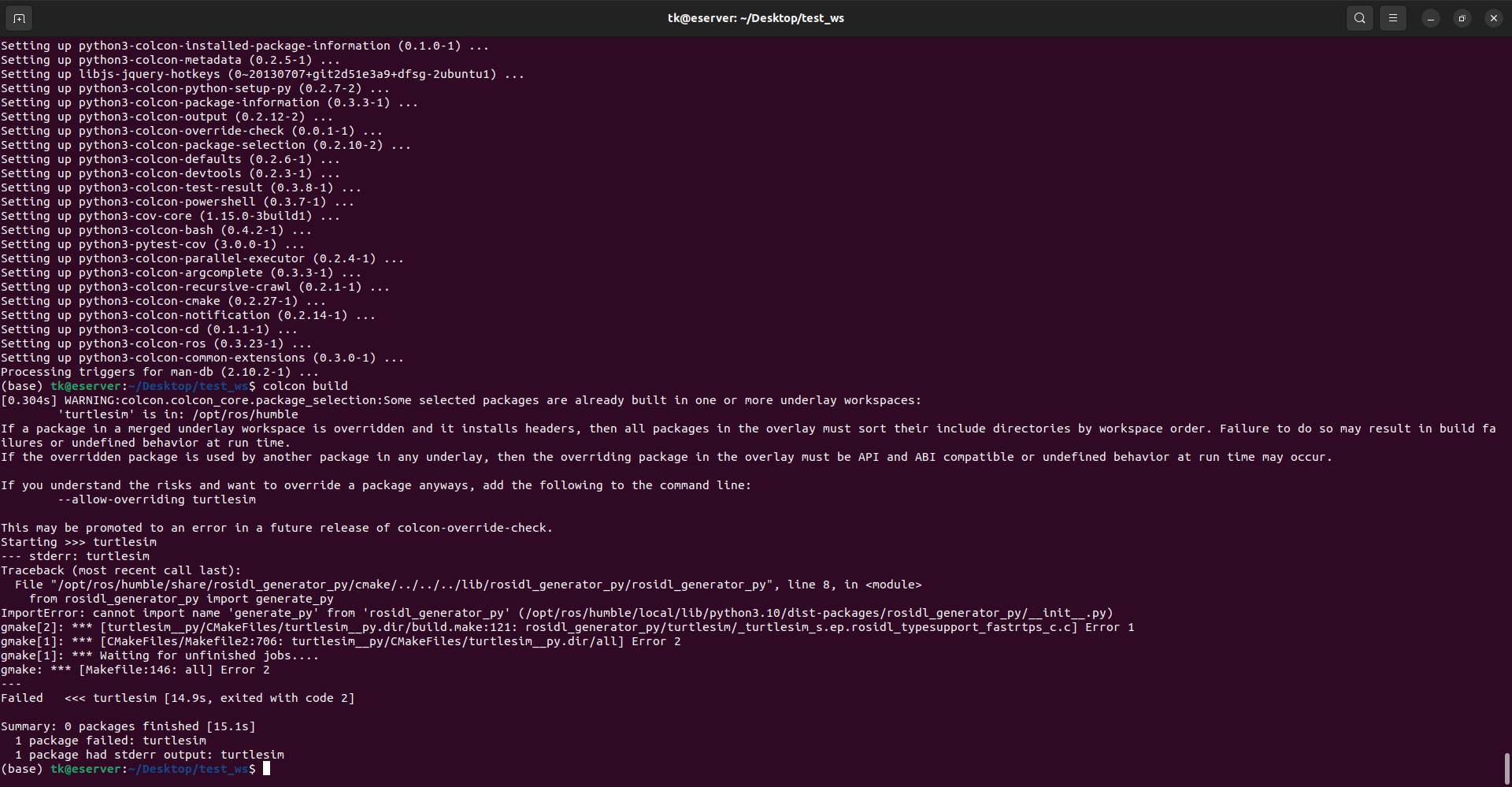
colcon build
```
If the above error occurs when building turtlesim, run
```bash
pip install empy
pip install lark
```
and then rebuild
```bash
rm -rf ~/Desktop/test_ws/build/
rm -rf ~/Desktop/test_ws/install/
colcon build
```
> *The fix method above is found* [*here*](https://stackoverflow.com/questions/72752937/ros2-importerror-cannot-import-name-generate-py-from-rosidl-generator-py/74159022#74159022)*.*
### Source the workspace
```bash
source ~/Desktop/test_ws/install/setup.bash
```
## RVIZ Setup
{% embed url="" %}
```bash
sudo apt install ros-humble-joint-state-publisher-gui
sudo apt install ros-humble-xacro
```
### Create a ROS 2 Package
Move to the src (source) folder of your workspace and create the package using the following command.
```bash
cd ~/Desktop/test_ws/src/
ros2 pkg create --build-type ament_cmake two_wheeled_robot
```
Create some extra folders
```bash
cd ~/Desktop/test_ws/src/two_wheeled_robot/
mkdir config launch maps meshes models params rviz urdf worlds
```
Build the package
```bash
cd ~/Desktop/test_ws/
colcon build
```
```bash
colcon_cd two_wheeled_robot
```
## URDF