# Setting up STM32CubeIDE

## 0. Download STM32CubeIDE

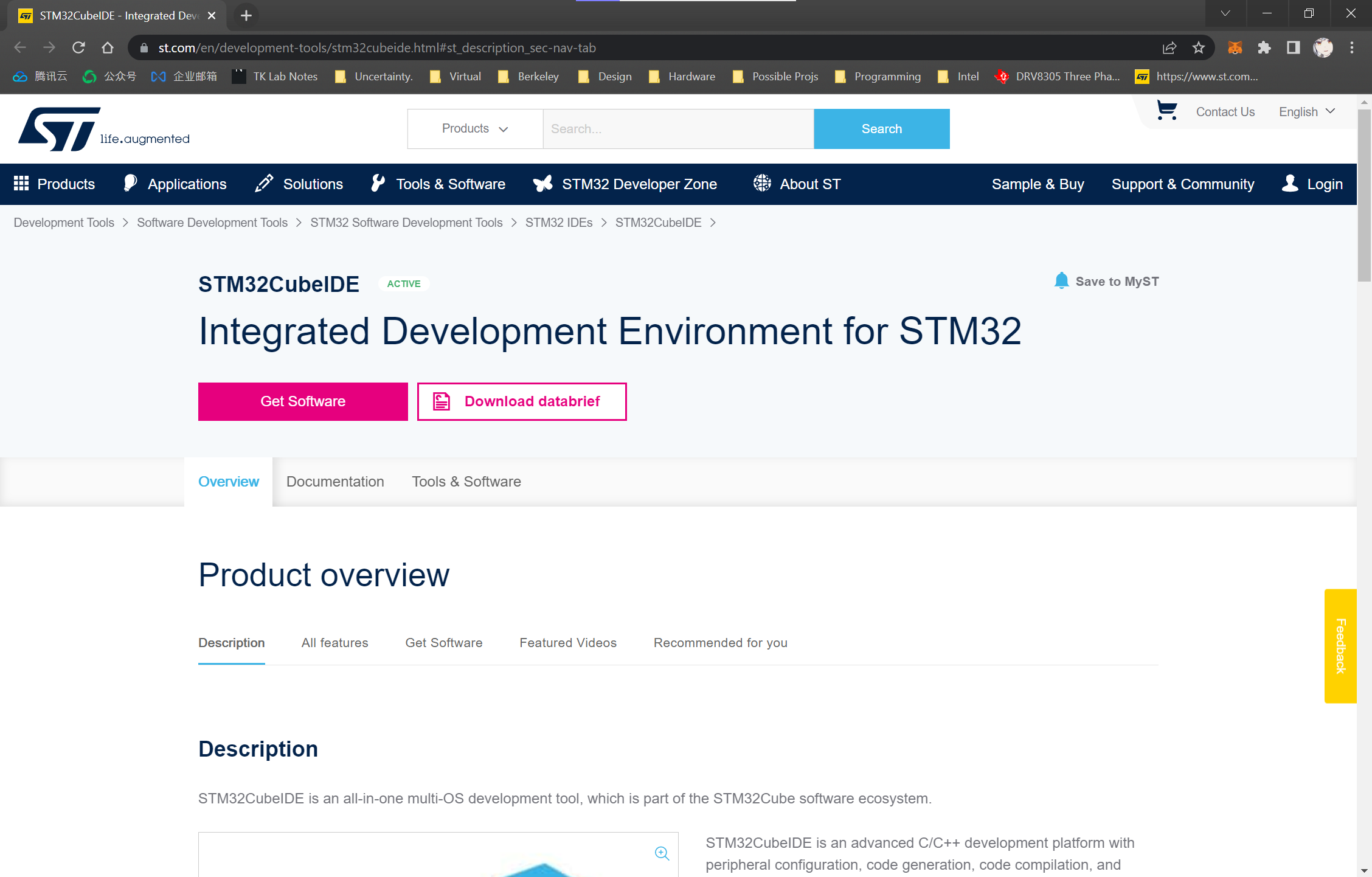
Go to STM32CubeIDE [download page](https://www.st.com/en/development-tools/stm32cubeide.html#st_description_sec-nav-tab). Click the "Get Software" Button.

*Note: The button may take a while to load.*

<figure><img src="https://1287130752-files.gitbook.io/~/files/v0/b/gitbook-x-prod.appspot.com/o/spaces%2FvVJ0h2a4qMIhB1I8GdV8%2Fuploads%2Fgit-blob-aa7a3dc9579ff3a319202b5717ae88b671433ab3%2Fimage.png?alt=media" alt=""><figcaption></figcaption></figure>

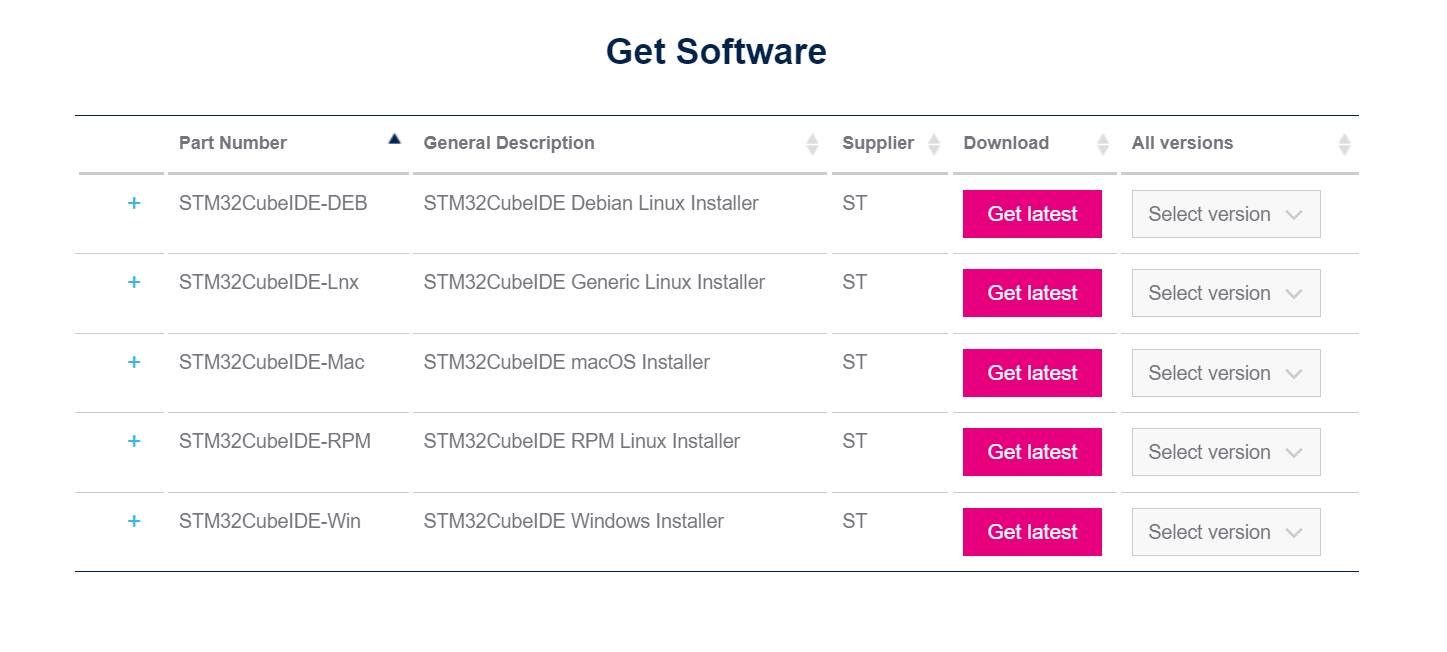
Select the appropriate operating system and click "Get lastest"

<figure><img src="https://1287130752-files.gitbook.io/~/files/v0/b/gitbook-x-prod.appspot.com/o/spaces%2FvVJ0h2a4qMIhB1I8GdV8%2Fuploads%2Fgit-blob-a18e19e38562e5c3c83cbaf66dc6597bdc34c321%2Fimage.png?alt=media" alt=""><figcaption></figcaption></figure>

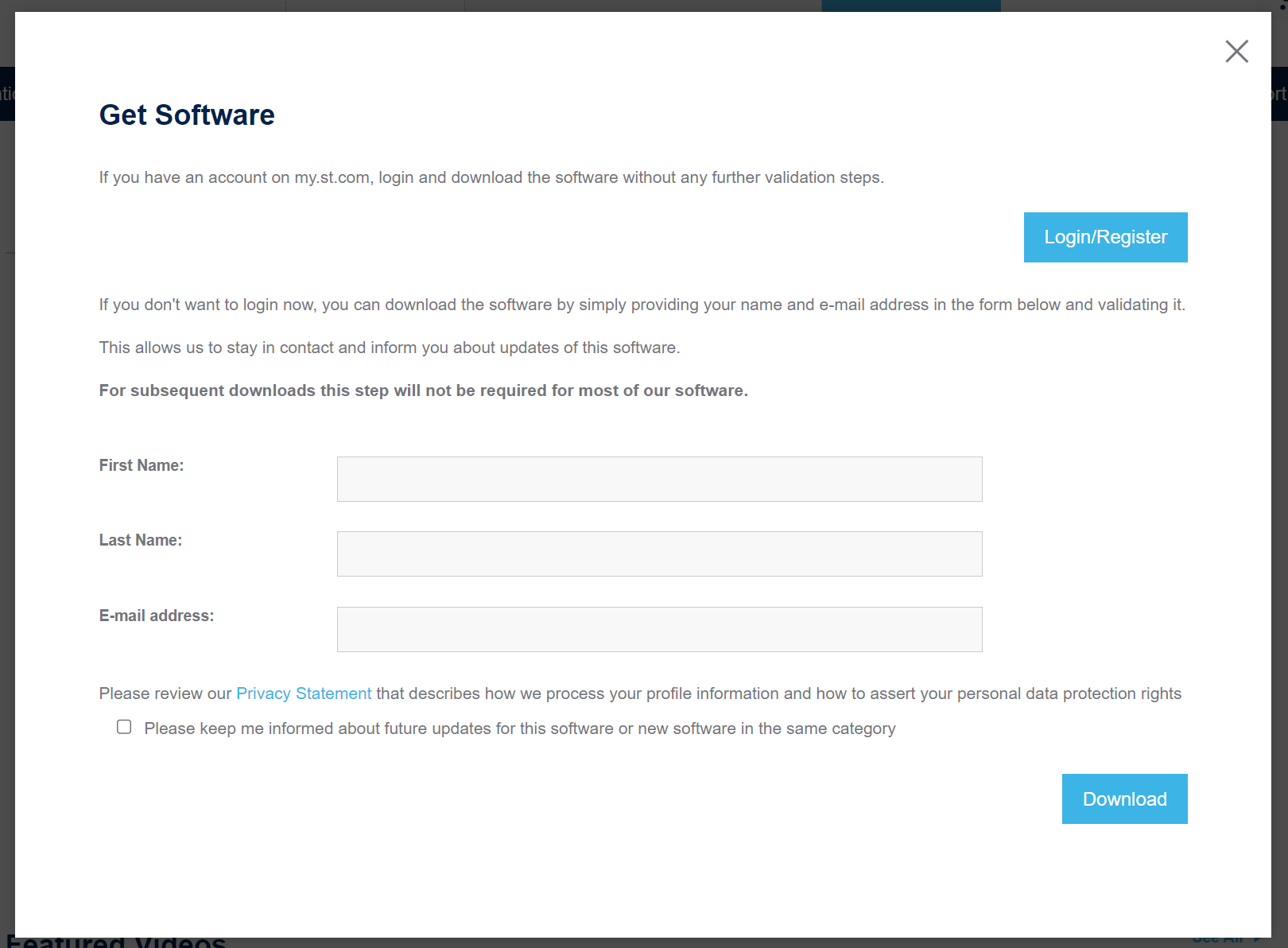
Log in to your *myST* account.

<figure><img src="https://1287130752-files.gitbook.io/~/files/v0/b/gitbook-x-prod.appspot.com/o/spaces%2FvVJ0h2a4qMIhB1I8GdV8%2Fuploads%2Fgit-blob-12f5ab5f71effd8b21d1dc52d03e056772699d41%2Fimage.png?alt=media" alt=""><figcaption></figcaption></figure>

## 1. Install STM32CubeIDE

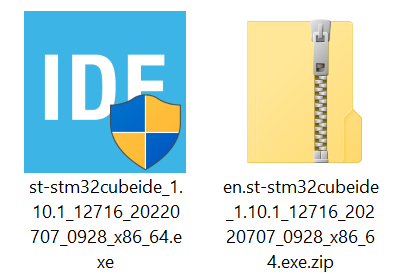
Extract the installer from the downloaded zip file and run it.

<figure><img src="https://1287130752-files.gitbook.io/~/files/v0/b/gitbook-x-prod.appspot.com/o/spaces%2FvVJ0h2a4qMIhB1I8GdV8%2Fuploads%2Fgit-blob-fe5ccc758adc3e29d574d84636390e347fc0c0a9%2Fimage.png?alt=media" alt=""><figcaption></figcaption></figure>

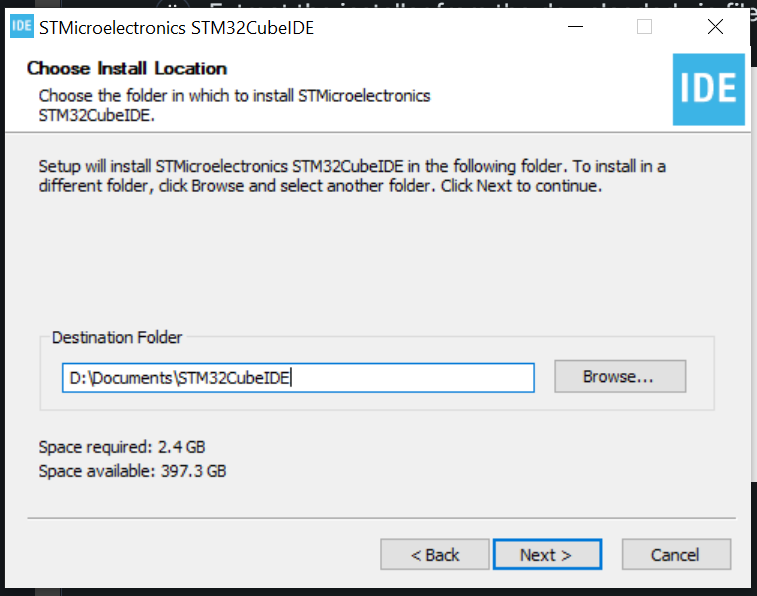
Choose an appropriate installation location.

*Note: It's recommended to remove the version number from the installation folder. STM32CubeIDE can auto-upgrade the software, but it will not update the folder name.*

<figure><img src="https://1287130752-files.gitbook.io/~/files/v0/b/gitbook-x-prod.appspot.com/o/spaces%2FvVJ0h2a4qMIhB1I8GdV8%2Fuploads%2Fgit-blob-8a3fa190640d8588d0f94689c68b8a18aec9c435%2Fimage.png?alt=media" alt=""><figcaption></figcaption></figure>

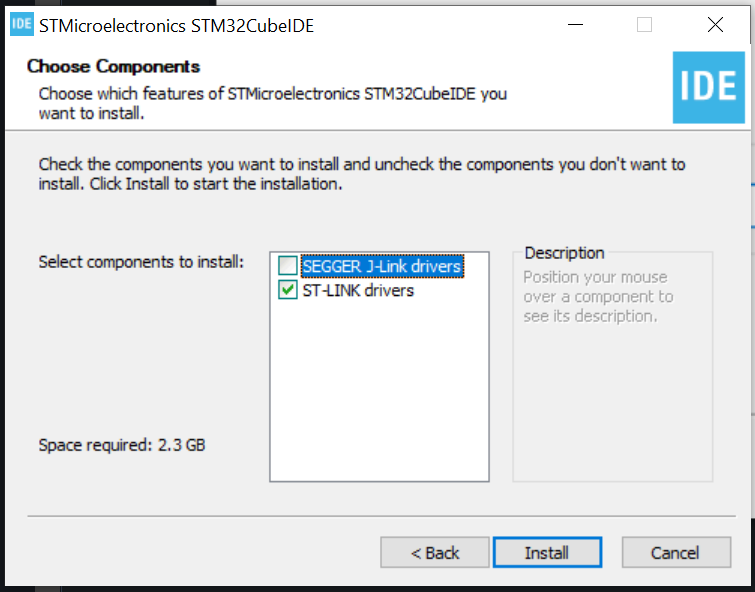
Select the driver. We are only using ST-Link, so no need for the SEGGER J-Link drivers. Then, click "Install".

<figure><img src="https://1287130752-files.gitbook.io/~/files/v0/b/gitbook-x-prod.appspot.com/o/spaces%2FvVJ0h2a4qMIhB1I8GdV8%2Fuploads%2Fgit-blob-fed93c2c9a23ad59ba8695b9cf23b597d9c549fe%2Fimage.png?alt=media" alt=""><figcaption></figcaption></figure>

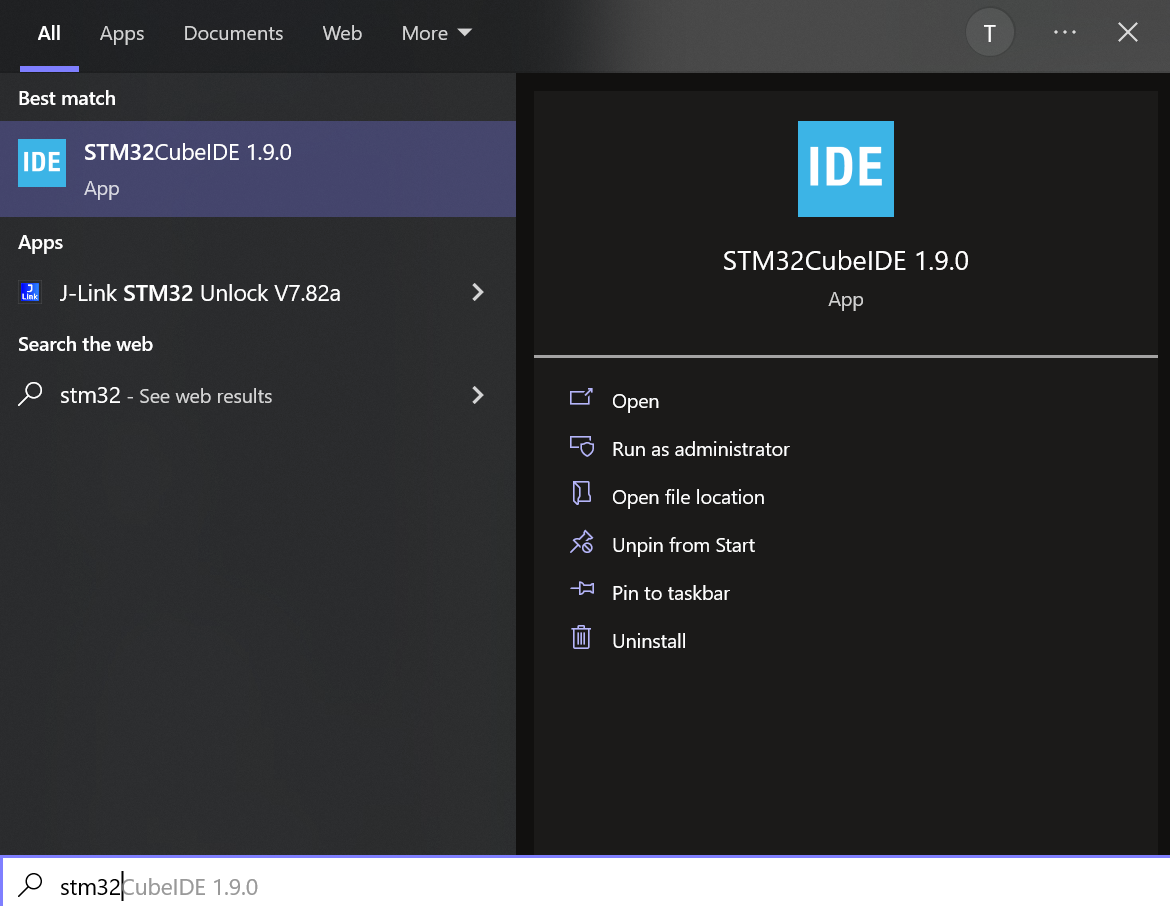
Verify the installation by searching "STM32CubeIDE" in the Windows main menu
<figure><img src="https://1287130752-files.gitbook.io/~/files/v0/b/gitbook-x-prod.appspot.com/o/spaces%2FvVJ0h2a4qMIhB1I8GdV8%2Fuploads%2Fgit-blob-ca4ba6fe725e7e75ec2ee65d326cfd9740a8e263%2Fimage.png?alt=media" alt=""><figcaption></figcaption></figure>